
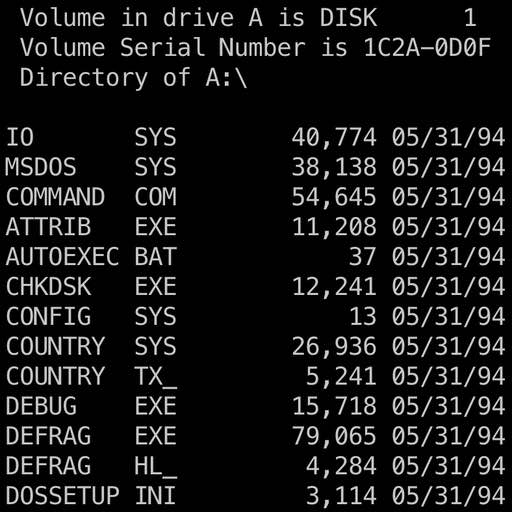
I started this as an experiment to see how far (and well) would today’s models fair in building and debugging complex software projects? For this, I chose something that I may use in future projects .. a pure rust implementation of a subset of x86. Enough, to run MS-DOS. I’ve done similar work before, implementing a much more cycle-correct MIPS emulator. This isn’t going to be that - no speculation, KVM, JIT, or any fancy features.
Just a pure-rust implementation of x86 that could boot and run things.
Planning
How this was planned and executed? Needless to say - you can’t quite build it in one shot. I did try for the heck of it - there’s just too much there. Instead, we went through several iterations, building key components until we had scaffolded enough to do a test run. This initial scaffold included:
- Instruction Set
- Register File
- Sparse Memory (backed by a HashMap)
We started with a single dependency - iced-x86. This foundation was cruical, because it gave us soemthing to work off of without needing to implement the entire instruction set. We could focus more on behavior than decoding.
Further Implementation
From there, we did an audit of the codebase, and then determined the core services, bios functions, and instructions we had not implemented that we would need to do a boot of MS-DOS.
We implemented that plan, now including:
- Bios implementaiion
- VGA implementation
- Keyboard Controller
- Interrupt Controller / IVT
Then, I had Claude write tests against the current implementation, so we can verify future changes.
First Boot
Well, we got somewhere! It printed the loading message, and crashed.
We did a follow up audit, and found several bugs with addressing (e.g. segment overrides), as well as well as some more fixes for timers (a common theme here), ALU fixes for correctness.
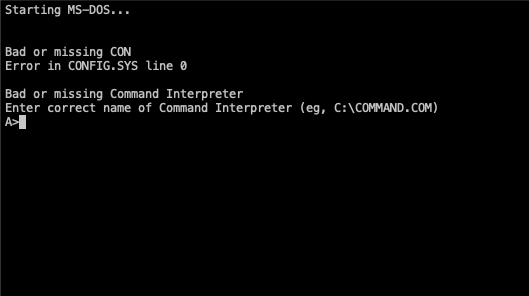
There are several things that needed repeated emphasis on - mainly: “the tests do not mean the implementation is always right”. From there,
We also needed to implement the Bios Data Area, so that progams could read those values. Other fixes included the interrupt timer. There was a fair bit of this - and a lot of “add diagnostics”, try booting, analyze output, repeat.
In some cases, I passed my hypotheses to Claude, and let it prove or disprove. With my knowledge base of how hardware generally works, I was able to direct it to solving some of the bugs without too much spinning.
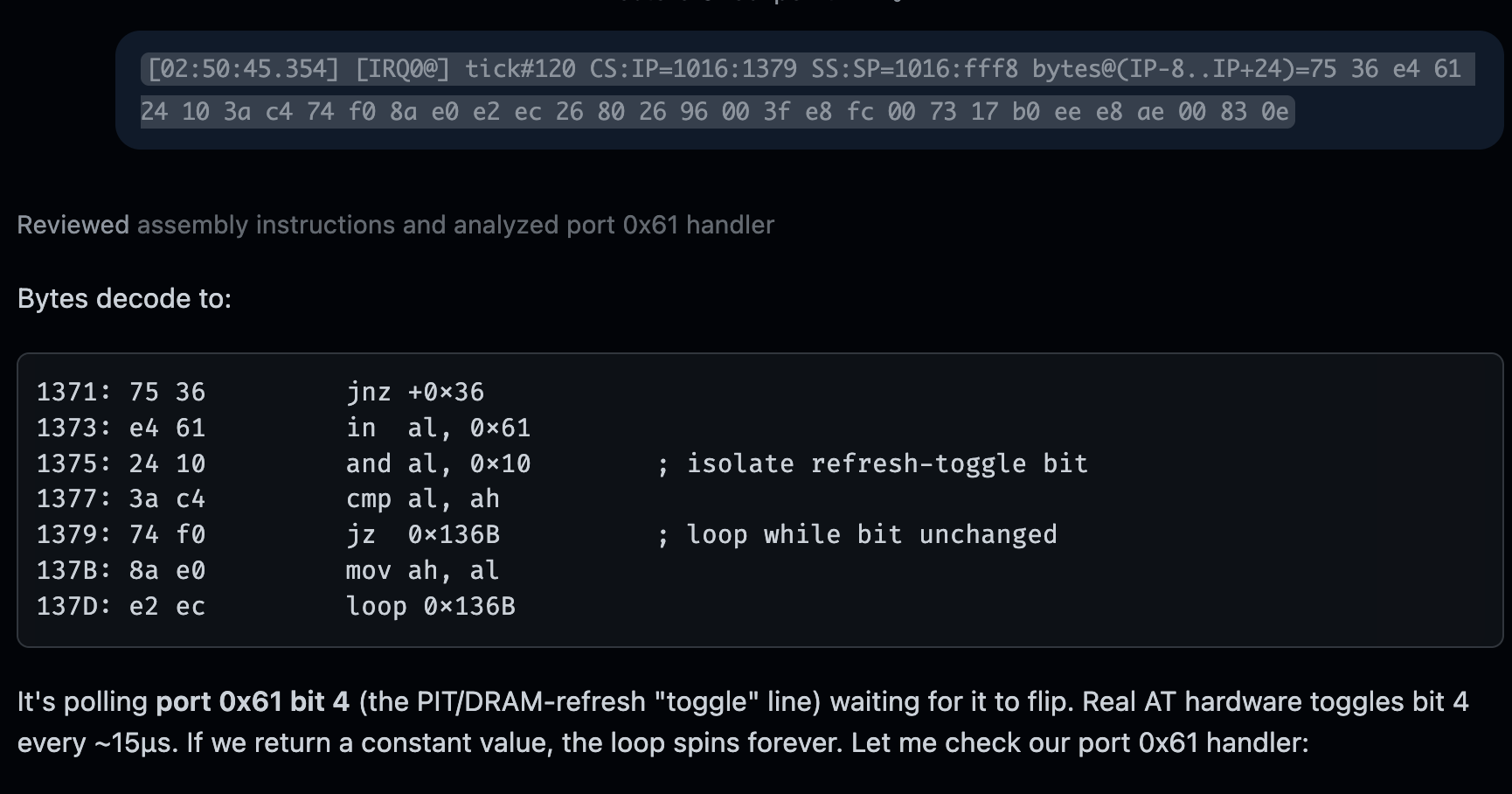
I think, my favorite bug - was when it would boot, and seemed to sit in a timer loop, waiting on something. After adding diagnostics to dump some memory - claude said this:
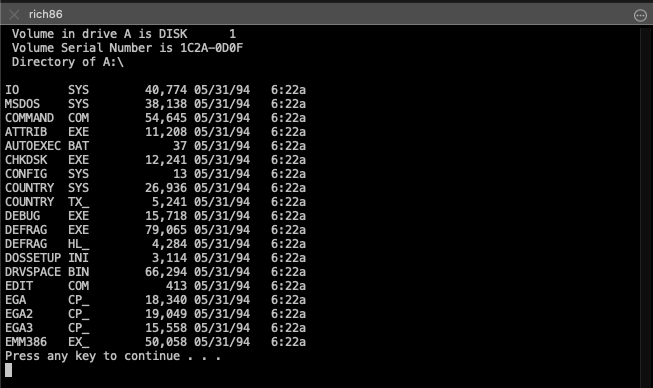
… which made the our virtual machine boot successfuly! As do the basic DOS commands:
Interactive Programs
We now have a booting, real VM. The glaring remaining problem was keyboard input. We could boot the install disk, and then get to the DOS prompt fine. We could run EDIT, QBASIC, … but user input inside those programs would fail.
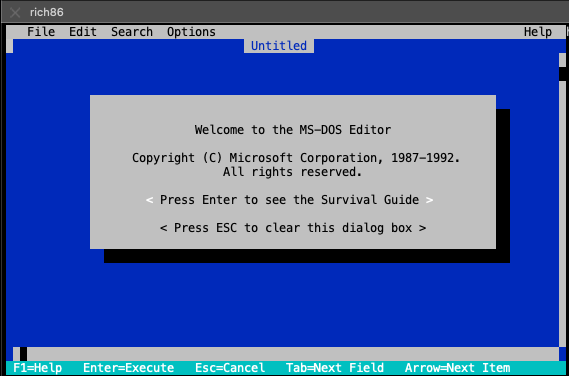
The experiment is still ongoing, as we debug these input issues.
Other Images
I was targeting an MS-DOS 6.22 Image I had for this. In trying some others from the internet archive - seems like we’ll need to spend some more debugging time to get those to boot.
The approach for this I think is that I will write it so the logs are not time based but instead cycle based, add an option to fix the RTC to a specific time and increment based on the CPU cycle, and add special instructions so that we can do “At Cycle X, Press key Y”, to do a full boot test and we can diff the logs for regression testing.
Thoughts
-
The 80/20 seemed more like the 90/10 rule for this project. AI can write a lot of code quickly, but the time spent (in hours, very many) - was on finding very subtle bugs in the implementation took hours of instruction dumps, adding logs, analyzing memory and disk images, to find the issues.
-
At least for now, this answers the question for me. AI has gotten a lot more capable. I don’t think it’s at a point where it can take something like this, run with it for a day or two, and return results, but given some guidance (and AI could also do this to some degree), it is able to find, detect patterns, and solve problems.
Has AI killed the engineer? not yet. It just makes the good ones more productive.