
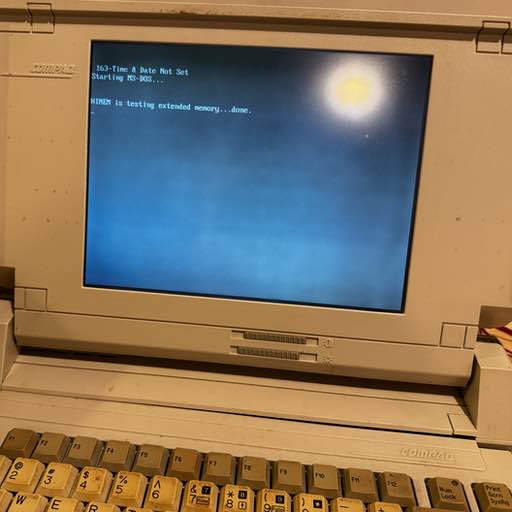
I recently got ahold of a Compaq SLT286 destined for the landfill. It looks to be in decent condition electronically, a little wear and tear on the case and no power supply or battery. Let’s see what we can do with it!
What are the specs?
- 286 processor
- ~1.6MB of ram. Looks like it has a single 1MB expansion card.
- Floppy Drive
- No Battery
- Hard Drive (later found out - it’s leaking oil.)
- Serial ports of all sorts. I think I can hook this up to my new printer!
Definitely needs some cleaning, and some repairs / hacks to get it working (pictured, powered on):
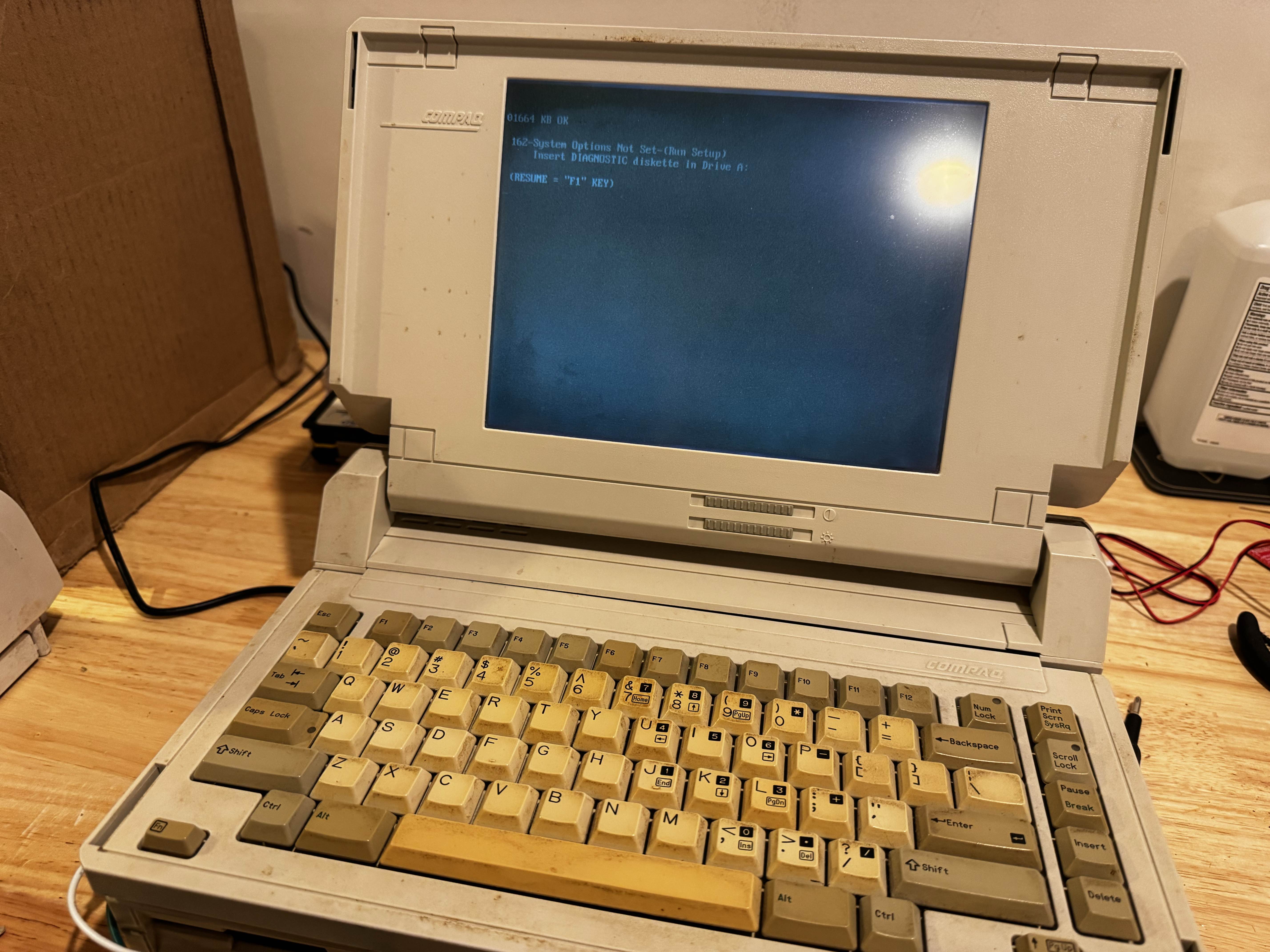
Powering it on
The external power supply is some weird an RJ style connector with pins sticking out. No way I’m going to find that.
Luckily someone posted the battery pin polarities, so with a good 12V DC power supply, we can hopefully get it to boot!
It just so happens my desktop DVD/CD drive uses a 12V 3A DC power supply, and is already plugged in and in reach. Using a barrel jack breakout, I attached some jumper wires directly to the battery slot.
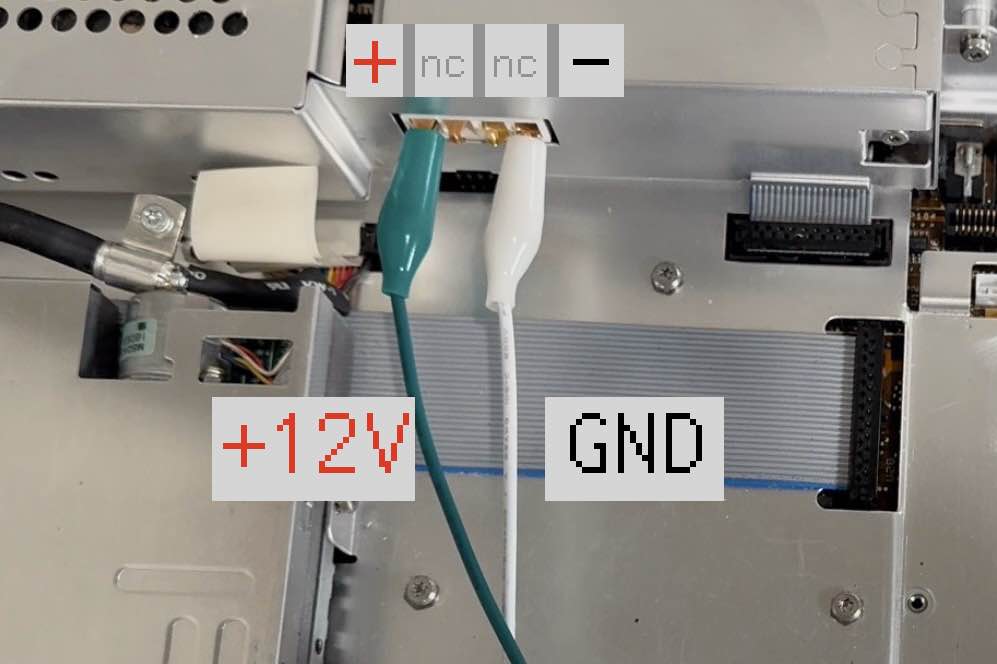
Success! It powers on.
MS-DOS
I had a DOS boot disk laying around. Unfortunately for us - this one had baked in CD-ROM drivers that seemed to be causing the machine to hang. I don’t have a “proper” disk - some system recovery disk for an unknown machine.
I ordered one off ebay, that has some nice menus by the looks of it do determine which drivers to boot with. Turns out - the SLT doesn’t like that one either - it just hangs after you pick “no drivers”. Once you boot, you can use it’s utilities. the QBASIC I had seemed to not work as well, but the one on this disk runs things!
In the meantime … I did some editing on one of my spare floppy disks to remove
the CDROM driver by commenting it out in the AUTOEXEC.BAT and CONFIG.SYS
files.
The edits paid off - success! It boots!
Software
Can It blog?
Yes! For the fun of it, I’ve written most this post ON the SLT, and will transfer the post back to my Mac via a floppy disk.
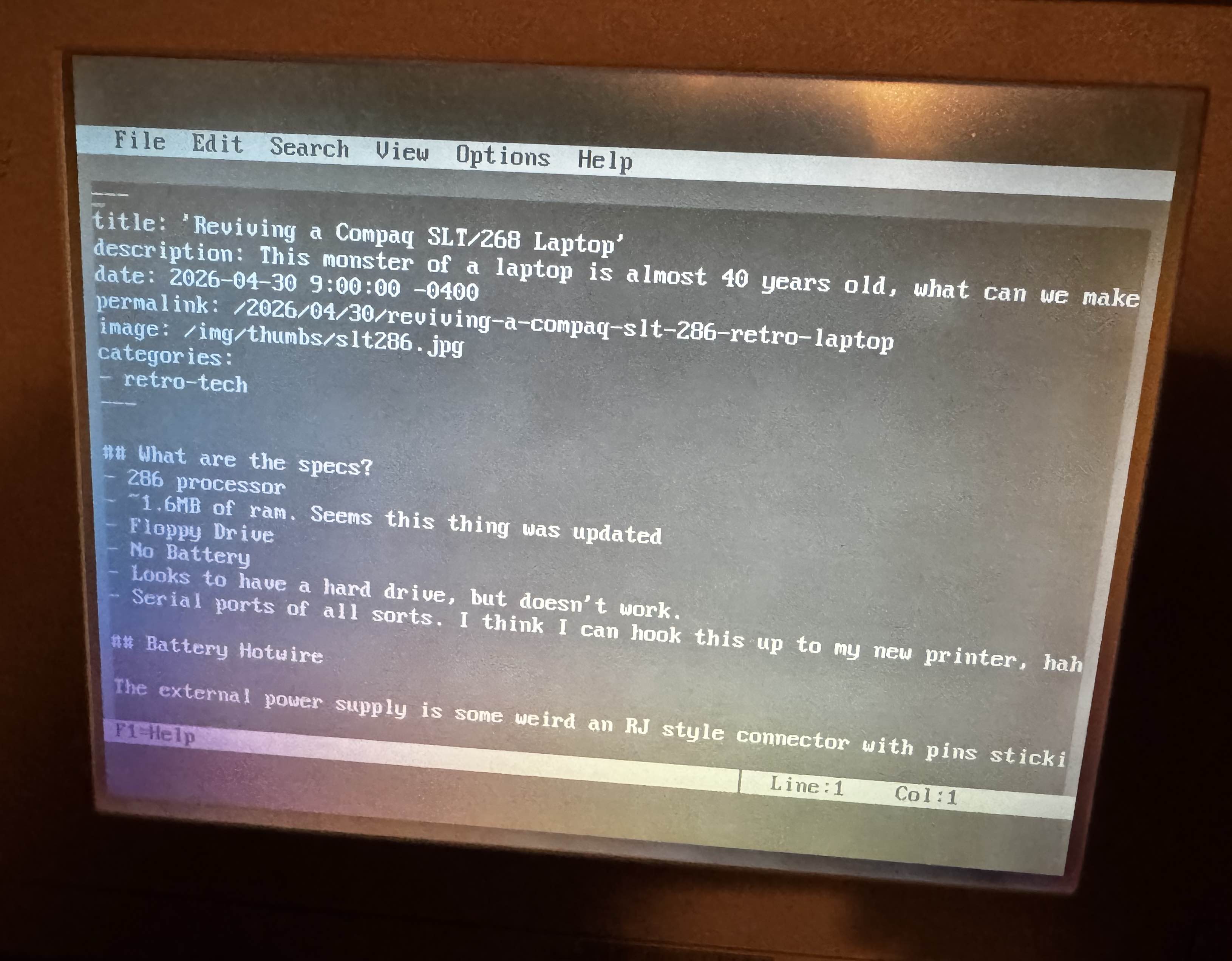
Can we write software for this thing?
This thing is bare bones enough, can we write programs?
I tried using QBASIC which runs and lets you edit programs, but for some
reason it just shows a white screen when you run them or exit. I think there
may be some kind of incompatibility between it and my SLT. Maybe the DOS version
I have is too new.
I recall my high school days, wrote a floppy disk boot-sector OS that did some graphical routines to make a computer look like it crashed.
I’ll need to hunt down a C compiler that I can run on this, so I can actually write programs.
Can it run doom?
If I’m able to get all this on there, https://github.com/FrenkelS/Doom8088 maybe?
It does run Oregon Trail though.
Can it print?
… to my dot matrix printer?
YES! In fact, this might be the least awful printer setup I have ever done.
In fact, it had one step - plug it in. EDIT.COM was able to print with not a lot of configuration. There’s something to be said about the simplicity of it all. No drivers. No crapware. No ink subscription. It just prints over a serial port.
Writing Experience
I have always wondered what it was like to own a typewriter (one of the digital ones), I have ink based typewriters. This is probably the closest I’ll come to a digital one. I will say, it removes all distraction, because there is nothing else you can do… no quick flip over to HN, Reddit, or some other doomscrolling source. You could play DOS games, but the context switching cost is quite high.
EDIT.COM, although very barebones, still holds up for quick editing for the
most part. My only gripe, is that it doesn’t support word wrap. So, I’ll
probably explore other DOS text editing software that features that.
Getting a Diagnostic Disk
https://www.vogons.org/viewtopic.php?p=897754#p897754 I tried several different versions of this. I eventually found an image on the internet archive which appears to work. I can read and set the config.
In doing so, I confirmed my suspicions of the drive being dependent on a non-dead CMOS battery. So looks like we’ll need to either:
- Set this every power up
- Or hotwire/replace the rtc component that contains the battery
The other unfortunate issue, is I need to take it apart again to determine what the actual hard drive capacity is. There’s a table in the diagnostics tool, which lists about 40 different drive types & capacities. It needs manual selection and entry.
Identifying the Hard Drive
Let’s tear this down again. So far, I’ve had this apart at least 6 times. It’s actually not too bad. Unplug the keyboard, remove 6 torx screws, disconnect the screen ground, and then slide the case out a little. Unplug the main display cable and the inner case comes all the way out.
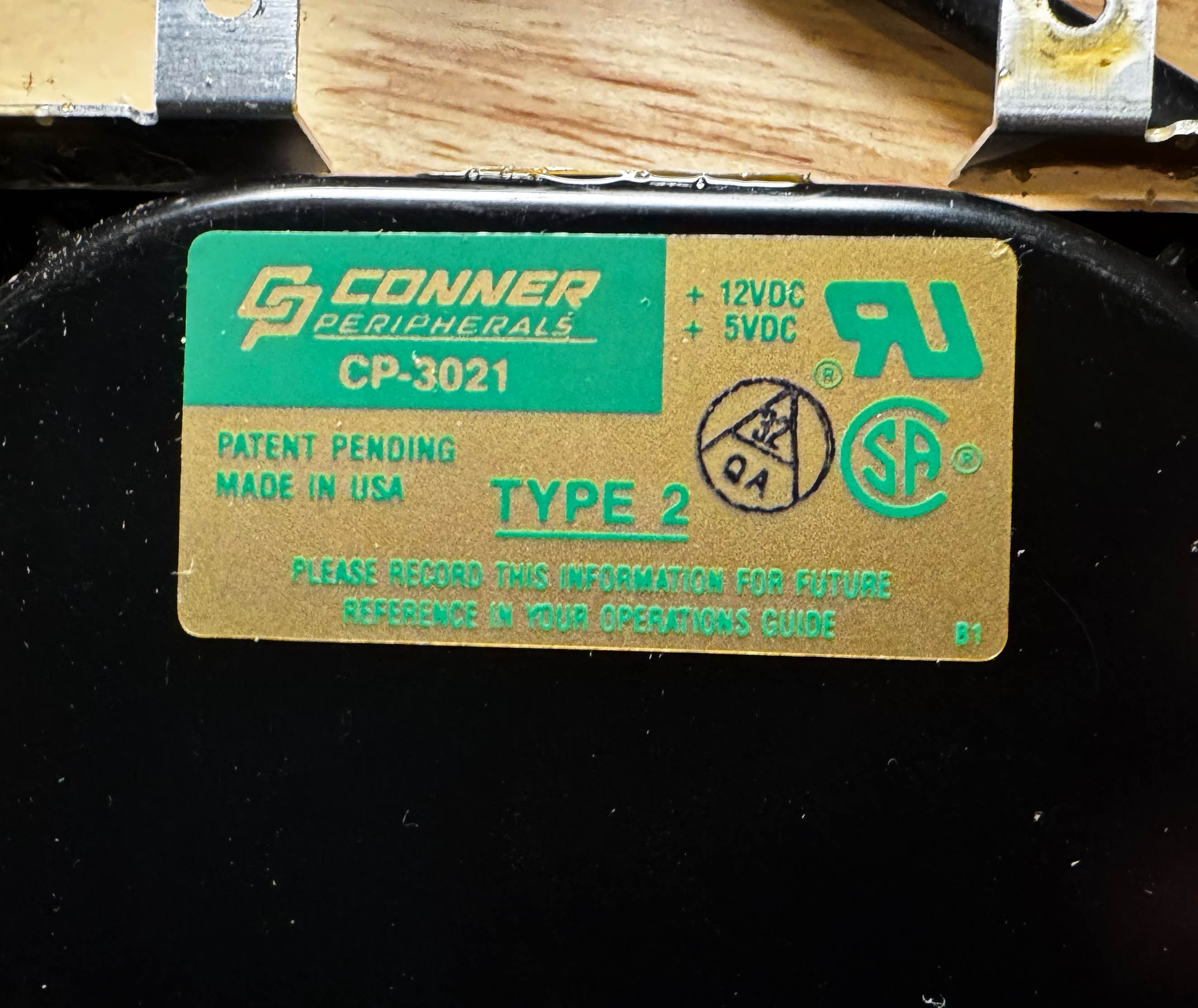
Looks like it shipped with a type 2 Drive. Unfortunately, it looks like the drive is leaking oil, so it’s toast. Onto plan B. The one upside, its pcb makes a nice phone wallpaper!
Can we make a different drive work?
The plan is to use a compact flash drive, with an adapter and custom power cable. This seems to have worked for other people.
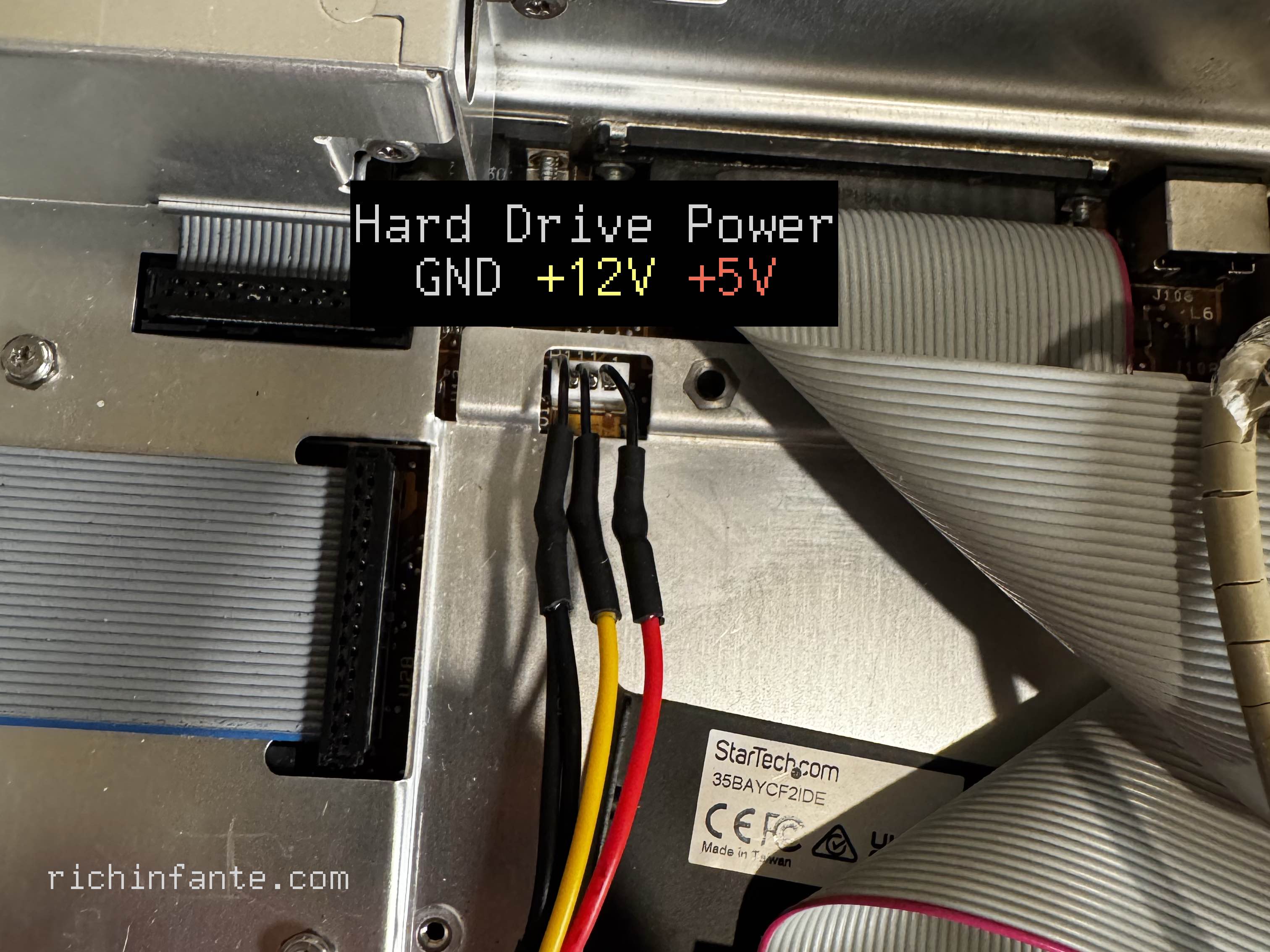
To make this work, I had to figure out the polarities of the cable used for powering the old HDD.
I originally powered it on, but no voltage was sent to the HDD power cable. Turns out, It needs to be booted - aka it has a keyboard, and you pass the self test. Then it powers the hard disk.
Once I figured that out, reading left to right, it was GND, +12V, and
then +5V (pictured).
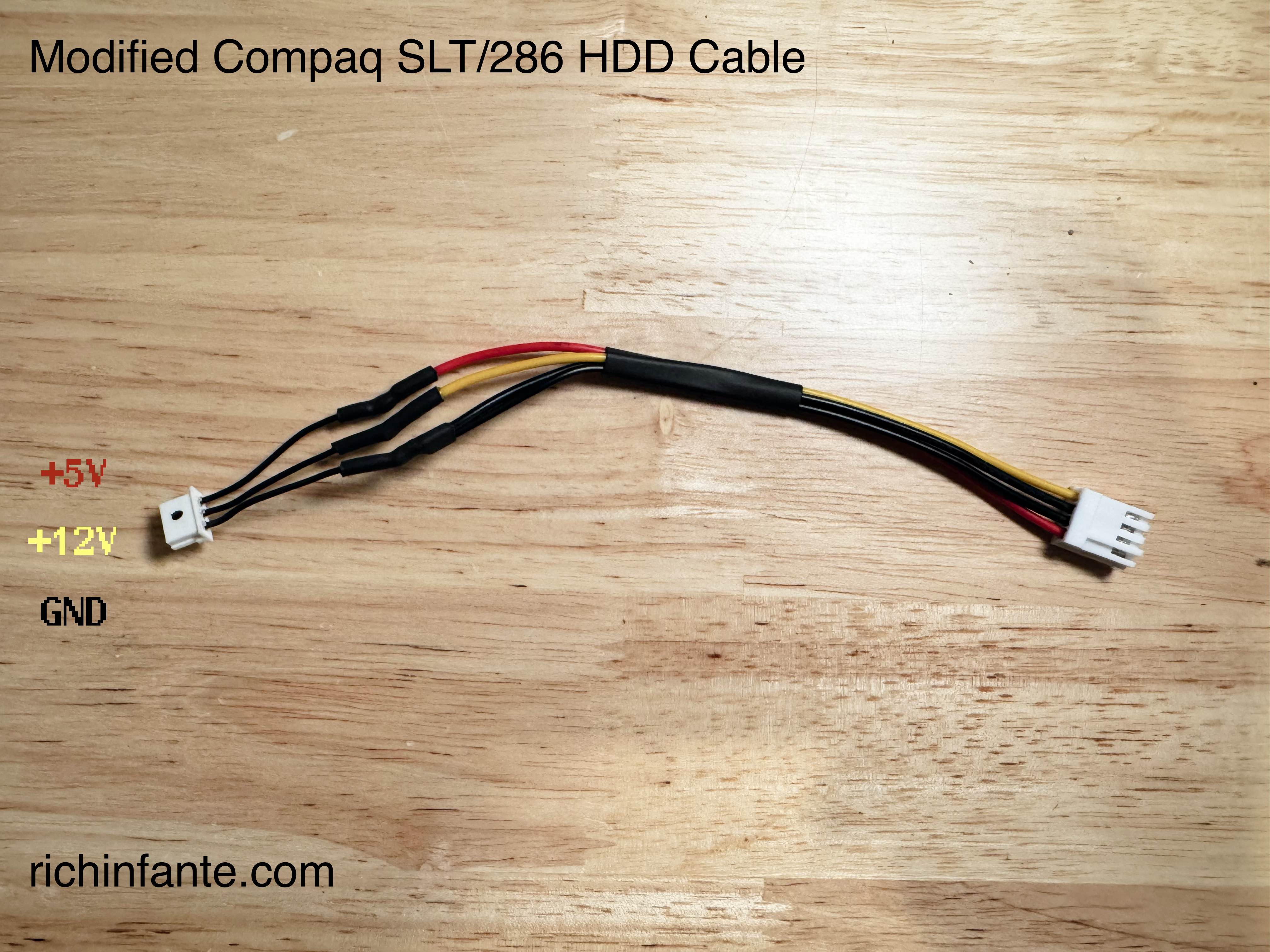
I spliced the original plug onto half of a floppy drive power cable, as I’m planning on using a compact flash adapter. I used some heat shrink and solder to attach and ensure it doesn’t short out.
Formatting and Partitioning
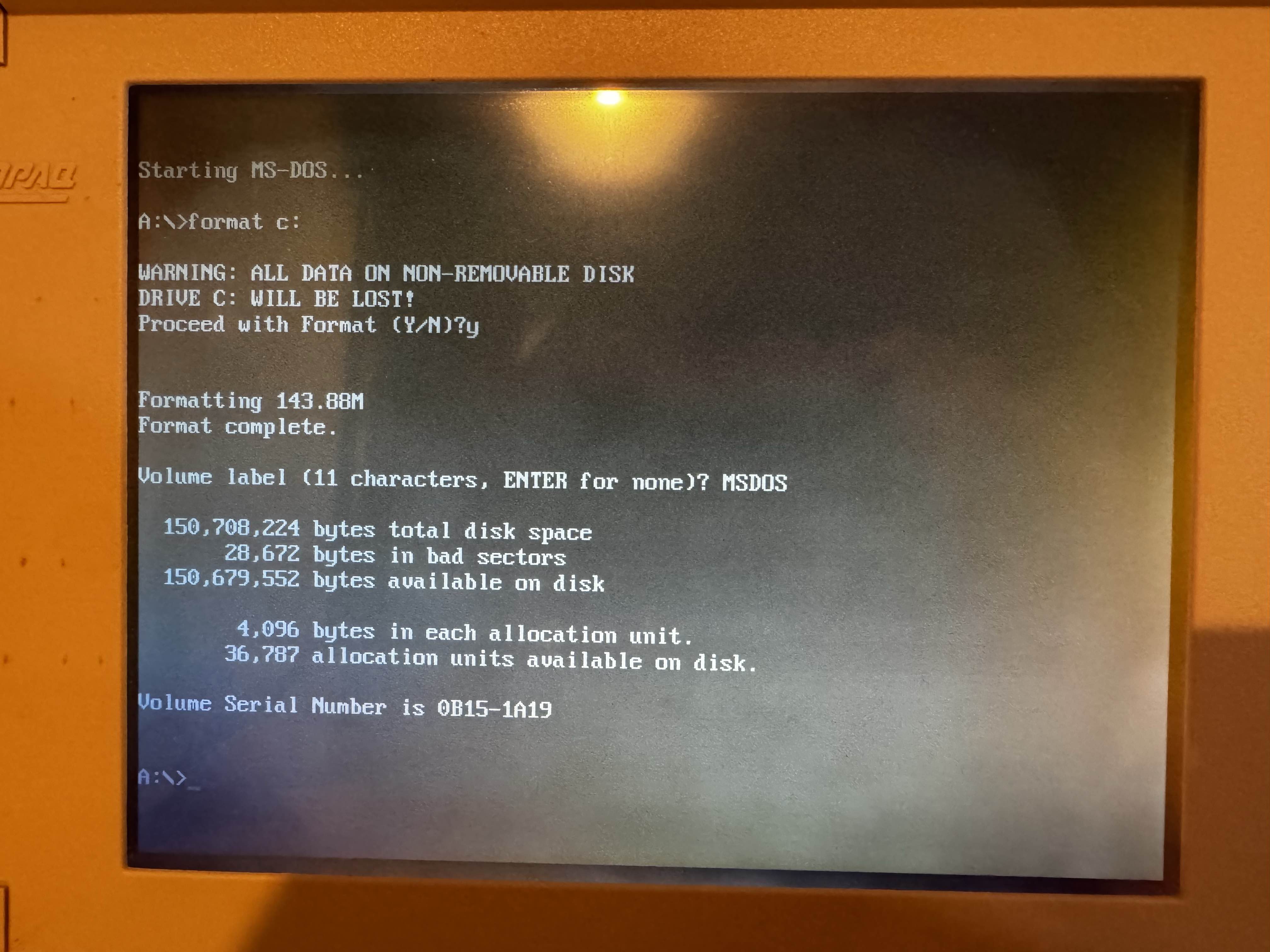
After loading the Compaq diagnostics and configuring it to be the largest size I could for its capacity (type 36), I then saved the config and rebooted.
I then did a partitioning using fdisk, setting it to match the printed drive
size (144MB). What’s interesting is fdisk seems to know the real size, but for
some reason the compaq needs it configured or it complains about missing
sectors.
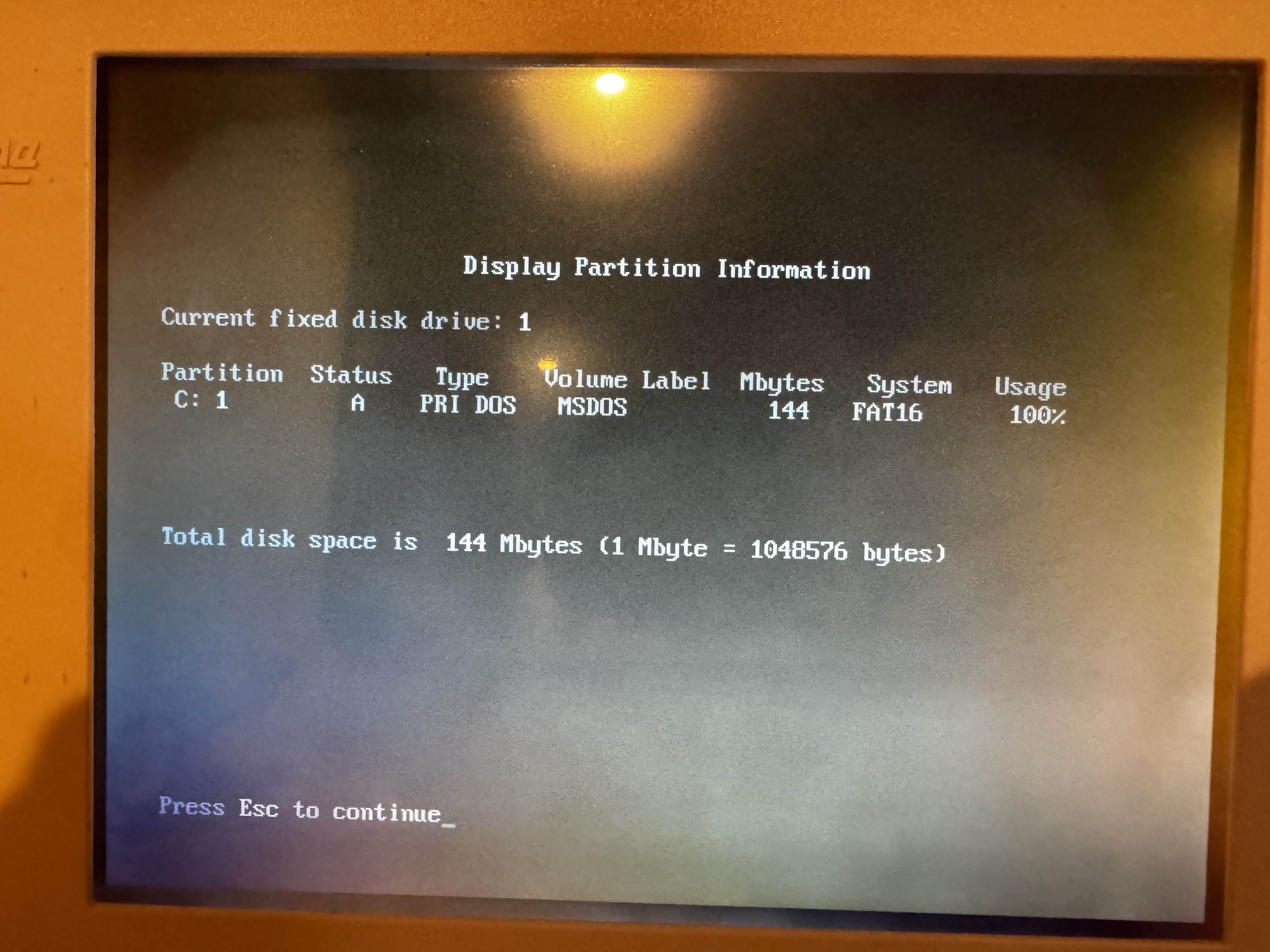
After formatting, it seems to work!
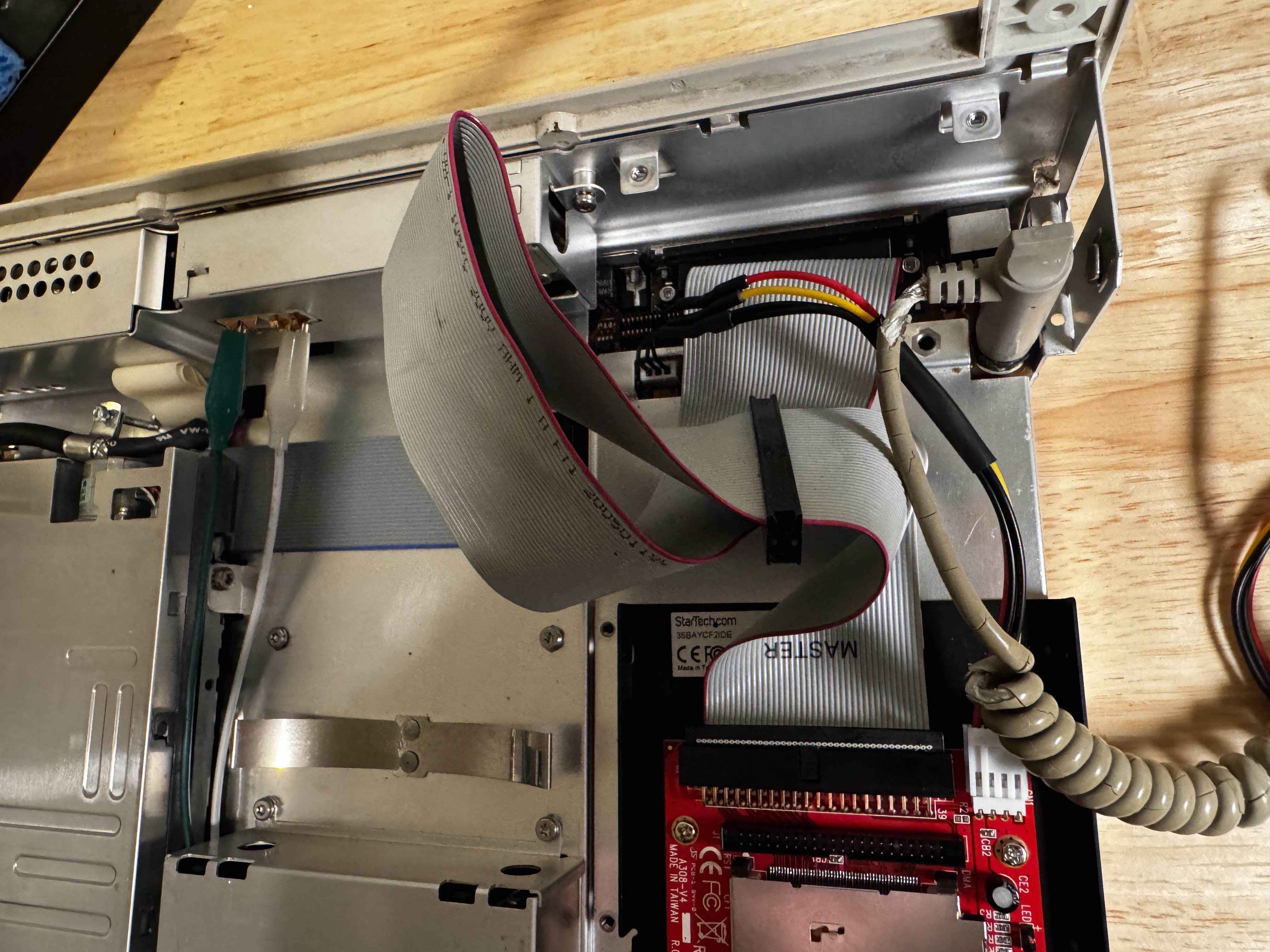
The compact flash I used was an old one I had laying around, a Kingston 256MB model that came from a digital camera. Decently old, so I was hoping it would have a better chance at compatibility.
I used a generic floppy to Molex cable as a sacrifice, and carefully removed and stripped the wires on one end of the connector. A little solder and some heat shrink tubing, and we’re good to go. Had to also use a different IDE cable, to avoid mounting it upside down.
I used this compact flash to IDE adapter off of Amazon.
Weird Floppy Issues
I think the floppy drive isn’t always sending disk change signals. Sometimes,
I will change the disk and it will list files from the last one. Also, it seems
to be able to read them from the in memory cache (if this happens, I can
get it to TYPE AUTOEXEC.BAT with a blank disk inserted.
Seems like this is an intermittent thing, and if I slowly insert the disks, it seems to not happen.
Also seems that if I remove the disk, then try to access it, that seems to be enough to invalidate the cache. Internet research seems to indicate there’s a signal that should be sent when you change disks, which empties out the cache that’s maintained. If that doesn’t happen - you can get phantom files and weird results.
Onboard RTC battery
A testament to why I like replaceable components, the realtime clock in this thing has a built in battery.
It’s not currently detecting the internal hard drive (Which it does have). My online reading indicates you need to manually set the drive type in the CMOS configuration, and that gets lost if the battery is dead
Something interesting i found - is someone made a program to programmatically save and restore CMOS settings.
Next Up
I’m doing research into how to give it power for “non” volatile config memory and the clock. That will likely be a follow up post!
Networking
I’d like to figure out a way to connect this thing to WiFi. I talked in previous posts about building a retro-computer with an RP2350, potentially doing a two-chip architecture to allow one to be a display/ux chip and the other for networking & I/O. I guess, we can start here!
This has a serial port on the back. Theoretically, I could build a little adapter that holds an RP2350 and with some luck, be able to make network connections in/out.
We’ll probably revisit this. I want to be able to write software to make this work, and I’m going to need a working hard drive, and a compiler first. Looks like turbo C++ is a good one to start with
Other Cosmetic Repairs
I need to carefully do some general cleaning, especially on the keyboard. The case itself isn’t in too bad shape. I did put some new rubber feet on the bottom, as thew original ones seem to stick to the table, which is less than ideal.
During disassembly, I broke one of the small plastic tabs on the hinge cover. Superglue, and as good as new.
The big one, is the keyboard cable. It’s falling apart, and the insulation just comes off if you touch it. I’m going to need to do some research here and see if anyone has found a decent way to replace it.
Dare I “retrobrite” this?. At a minimum, I will probably do a semi complete teardown of the keyboard because I think that it’s probably in the worst shape compared to the rest of the machine.
More Unhinged Ideas
Can we build (3D Print) a battery that we could recharge? I have no idea how long it would run, but maybe I can either find a USB power bank that can USB-PD 12v and fits in the slot? Or, maybe I can just get a USB-C PD activator circuit so I can at least use a real USB type C laptop power brick instead of my hotwired setup.
Making floppy disks on a modern mac
Honestly, the easiest way I have found is to use these images from the internet archive, and just writing them to disk first. The modern macOS formatting utilities don’t seem to produce images the SLT likes.